Blog ·
How to set service areas on Google Business Profile.
You drive to the customer. Google still needs to know which towns that means. Service areas are the list of cities and postal codes on your Business Profile that tell people, and Google, where you actually work.
Here is how to set them for a Canadian service business, what Google allows, when to hide your address, and what this setting will not do for your ranking.
What a service area is
On a Google Business Profile, a service area is a named place you serve: a city, a postal code, a county, or another area Google suggests. Per Google’s service area help, you can set up to 20 of them.
Two business types use this setting:
- Service-area business. You visit or deliver to customers and do not serve people at your own address. Plumbers, cleaners, and mobile mechanics are the usual examples. Google says these businesses get one profile for the whole area they serve.
- Hybrid business. People can visit you at an address and you also travel to them. A shop that also does on-site installs fits here. You keep the address and add a service area.
If you do not serve customers at the address and there is no permanent on-site signage, Google’s help says you are not eligible as a storefront and should list as a service-area business.
What Google allows, and what it does not
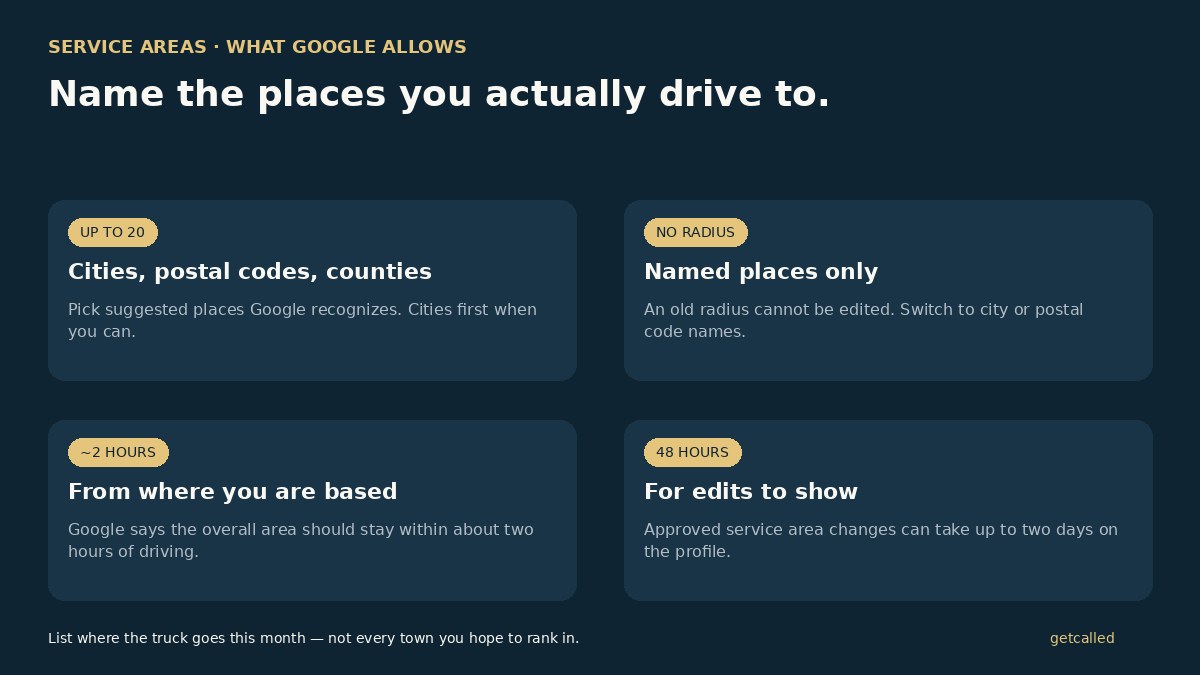
- Up to 20 places. Cities, postal codes, or other areas you serve. Use Google’s suggestions when they appear, so the name matches what Maps already knows.
- No radius. You cannot set “within 50 km of the shop.” If an old radius is still on the profile, Google says you cannot edit it that way anymore. Switch to named places.
- About two hours of driving. Google’s tip: the boundaries of your overall area should not be more than about two hours from where the business is based. That is operational guidance, not a promise you will rank in every town on the list.
- Be specific and accurate. List where you take jobs this month. A neighbour searching “near me” still sees nearby results first. Padding the list with distant cities does not turn you into the local result there.
How to set or edit your service areas
From Google’s help page, the path is short:
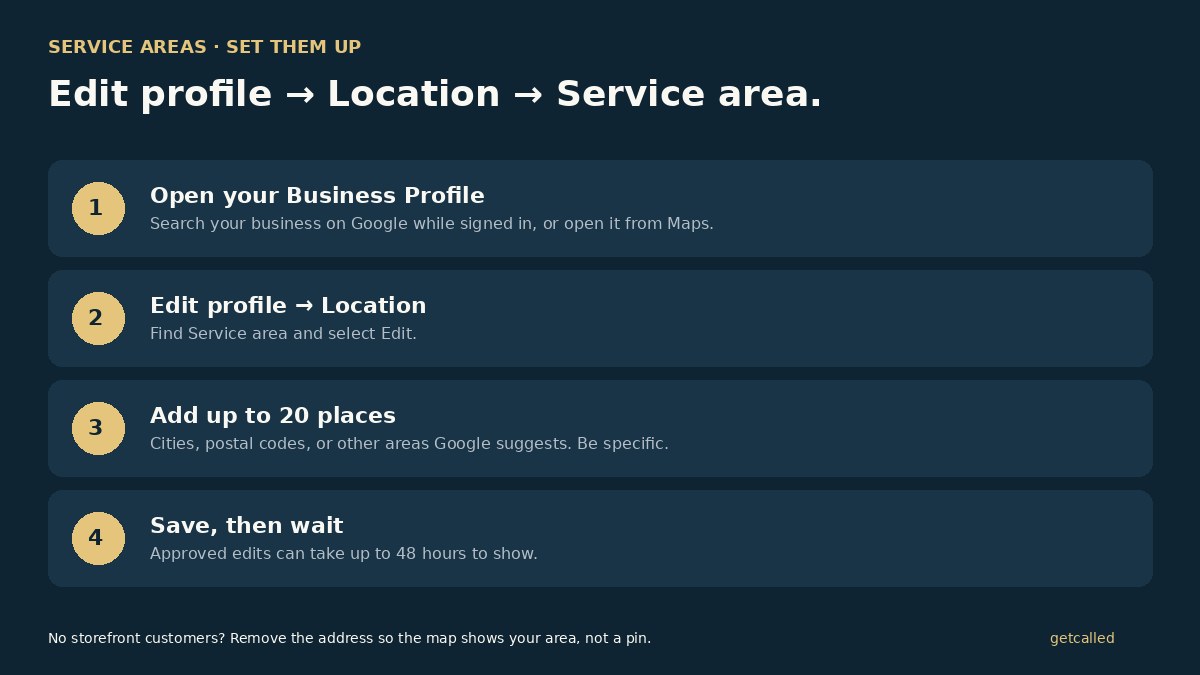
- Go to your Business Profile. Search your business name on Google while signed in, or open it from Maps.
- Select Edit profile, then Location.
- Next to Service area, select Edit.
- Select a suggested area, or type a city, postal code, or other supported place and pick it from the suggestions.
- Add up to 20. Select Save.
Approved edits can take up to 48 hours to show. If you need to drop a town you no longer cover, open the same Edit panel, remove it from Selected service areas, and save again.
Should you show your address?
This is the decision that trips people up, especially trades working from a house or a yard with no walk-in counter.
- No customers at the address: remove the address and keep only the service area. Google is clear that if you do not serve people there, the address should come off so the map shows coverage, not a pin at a private address.
- Customers at the address and on site: enter both the address and the service area. That is the hybrid setup.
Hiding the address does not hide your phone number. The call button still matters more than the pin for most service searches. Pair this with a clean Google listing and matching NAP on the few places that still show an address.
How to pick the twenty
Start with the cities you already drive to every week. Then add the nearby postal codes or towns you take without a travel surcharge. Stop before you invent a territory.
A useful check for a Canadian crew: open Maps, drop a pin at your base, and ask whether you would send a truck there for a normal job today. If the answer is no, leave it off. If you advertise farther out, say so on the service page with a clear travel note, and keep the Google list honest.
Cities usually give you the cleanest coverage per slot. Postal codes are useful when one city is too big, or when a franchise wants exact codes. Counties can cover more ground in one slot where Google offers them.
What service areas will not do
They do not make you the top result in every town on the list. Distance still matters for local searches. A service area tells Google and the customer where you work. Ranking still leans on relevance, distance, and prominence: category, reviews, and a page that matches the job.
If the phone is quiet, fix the upstream work first: what to do first, a verified profile, and a steady trickle of reviews. Service areas are part of the listing, not a substitute for it.
After you save
Wait the 48 hours. Then search your business on Google and Maps and check that the coverage map matches the towns you meant. If a place is missing or an old radius is stuck, edit again with named places only.
In Local Presence, we treat the listing as the front door: category, services, hours, photos, and an honest service area, with a 30-minute call once a month on what changed. The listing stays in your name. It is $1,400 a month for six months, or $1,200 a month for twelve, with a $150 setup. Prices in Canadian dollars, before HST. Not sure which towns belong on the list? Tell us where you work or write to hello@getcalled.ca.
Questions
Google allows up to 20 service areas based on cities, postal codes, or other areas you serve. Prefer the places your crew actually goes this month over a long list of towns you hope to rank in.
No. Google no longer lets you set a radius. You have to name cities, postal codes, or other supported areas. If an old radius is still on the profile, you cannot edit it as a radius; switch to named places.
Google’s help says the boundaries of your overall area should not be more than about two hours of driving time from where the business is based. That is guidance for a realistic work area, not a ranking promise for every town on the list.
If customers never visit your address, Google treats you as a service-area business and says to remove the address so the profile shows where you serve, not a pin at a home or shop people cannot walk into. If you serve people at the address and also travel to them, keep the address and add a service area (hybrid).
Google says approved service area edits may take up to 48 hours to show on your Business Profile. Do not keep flipping the list while you wait.